
Cache And Lockfiles#
When a workspace exists, API-backed data is persisted under
<workspace>/data/<family>/ and indexed in <workspace>/data/cache.duckdb.
Custom data stays at the path declared by the TOML but can still be indexed or
checked through the data commands.
Cache layout#
<workspace>/
|-- data/
|   |-- cache.duckdb
|   |-- dem/
|   |-- hydrometry/
|   |-- piezometry/
|   `-- recharge/
`-- hydromodpy.lock
The DuckDB catalog stores variable, source, station id, spatial coverage, period, unit, source unit, file path, and file modification time. Managers query this catalog before downloading again.
What cache stability protects#
The cache is not an administrative detail. It protects the data evidence behind published figures: which stations were found, which time window was loaded, and which forcing or observation files were reused.
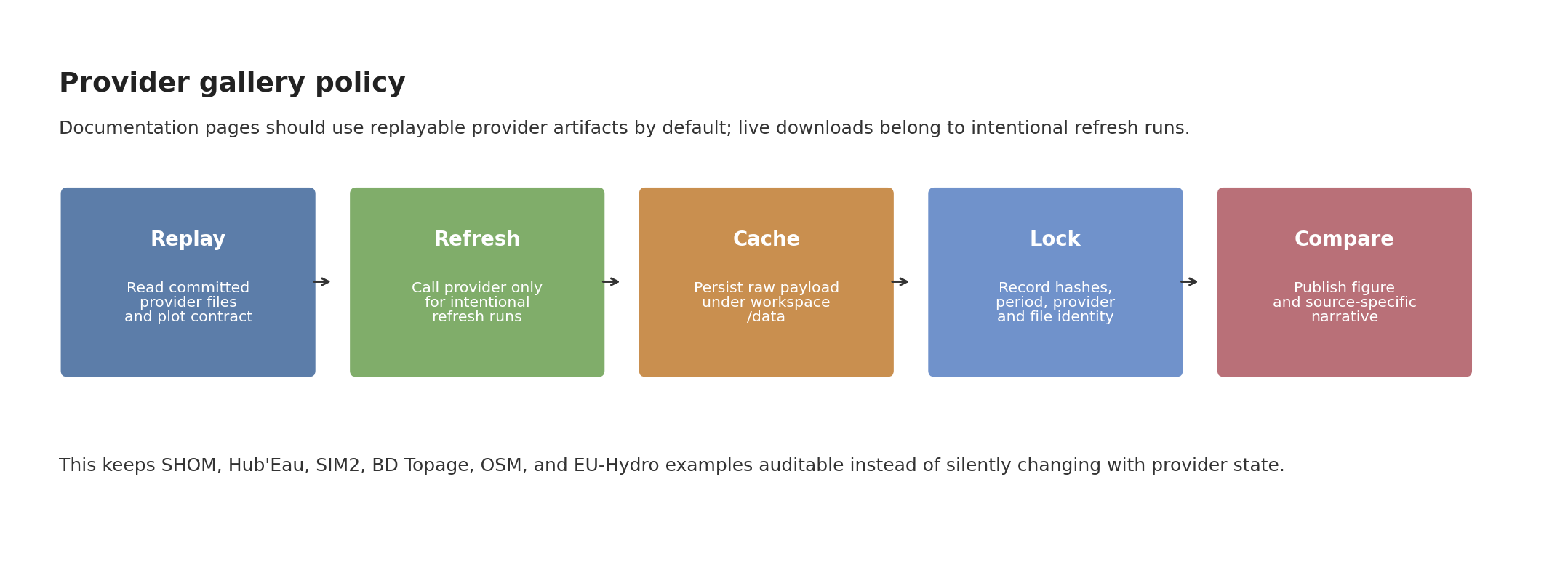
Fig. 136 Provider-specific pages should show replayable artifacts by default. When a live API refresh is needed, the refreshed payload should be cached, locked, and only then promoted to a documentation figure.#
The documentation hydrography comparison follows the same discipline with a small explicit refresh script. It writes provider GPKG artifacts plus a JSON manifest containing feature counts, lengths, sizes, and SHA-256 hashes:
python docs/source/user_guide/data/refresh_hydrography_provider_replays.py --case couesnon --providers bdtopage osm euhydro
The normal figure renderer then reads those files without touching the network.


Inspect and repair the cache#
hmp data list --workspace ~/hydromodpy
hmp data list --workspace ~/hydromodpy --variable hydrometry
hmp data list --workspace ~/hydromodpy --provider hubeau
hmp data check --workspace ~/hydromodpy
hmp data check --workspace ~/hydromodpy --fix
Use cleanup commands deliberately:
hmp data remove --workspace ~/hydromodpy --variable recharge --provider sim2
hmp data prune --workspace ~/hydromodpy --older-than 90
hmp data prune --workspace ~/hydromodpy --older-than 90 --delete-files
--delete-files removes underlying cached files as well as catalog entries.
Without it, the catalog is cleaned but files are left on disk.
Lock the cache#
The lockfile records the file identity of indexed artifacts. Use it after a data overview run or before archiving a project:
hmp lock update --workspace ~/hydromodpy
hmp lock verify --workspace ~/hydromodpy
A frozen run refuses to refresh or ingest unlocked data:
hmp run examples/projects/05_nancon_data_overview/config_overview.toml --frozen
Use frozen mode for CI, teaching material, and any result that must be replayable without silent downloads.
Archive and restore#
Two command families can create portable data archives:
hmp data export --workspace ~/hydromodpy data-cache.tar.gz
hmp data import --workspace ~/hydromodpy data-cache.tar.gz

hmp lock archive --workspace ~/hydromodpy locked-data.tar.gz
hmp lock restore --workspace ~/hydromodpy locked-data.tar.gz
Use hmp data export when you want a cache archive. Use hmp lock archive
when the lockfile identity is the contract you want to move with the artifacts.
Manual ingestion#
Power users can register one file explicitly:
hmp data add data/hydrometry/station.csv \
    --workspace ~/hydromodpy \
    --type hydrometry \
    --provider custom \
    --crs EPSG:4326 \
    --unit m3/s \
    --station-id J1234010
Add --frozen when the file must already match an existing lockfile entry.
Recommended policy#
Situation |
Policy |
Commands |
|---|---|---|
Exploration |
Let API managers populate the cache. |
|
Reproducible example |
Lock once the figures and data are accepted. |
|
Offline validation |
Restore locked artifacts before running. |
|
Provider refresh |
Refresh one source intentionally. |
Add |